Simula Research Laboratory /
Center for Resilient Networks and Applications /
NorNet
Homepage of Thomas Dreibholz /
SubNetCalc Homepage
SubNetCalc
An IPv4/IPv6 Subnet Calculator
Simula Research Laboratory /
Center for Resilient Networks and Applications /
NorNet
Homepage of Thomas Dreibholz /
SubNetCalc Homepage
New release: subnetcalc-2.7.6. This version only provides build script updates, now also allowing to build under Debian/GNU Hurd.
New release: subnetcalc-2.7.5. This version provides some build improvements and fixes, particularly for NetBSD, OpenBSD, and Solaris.
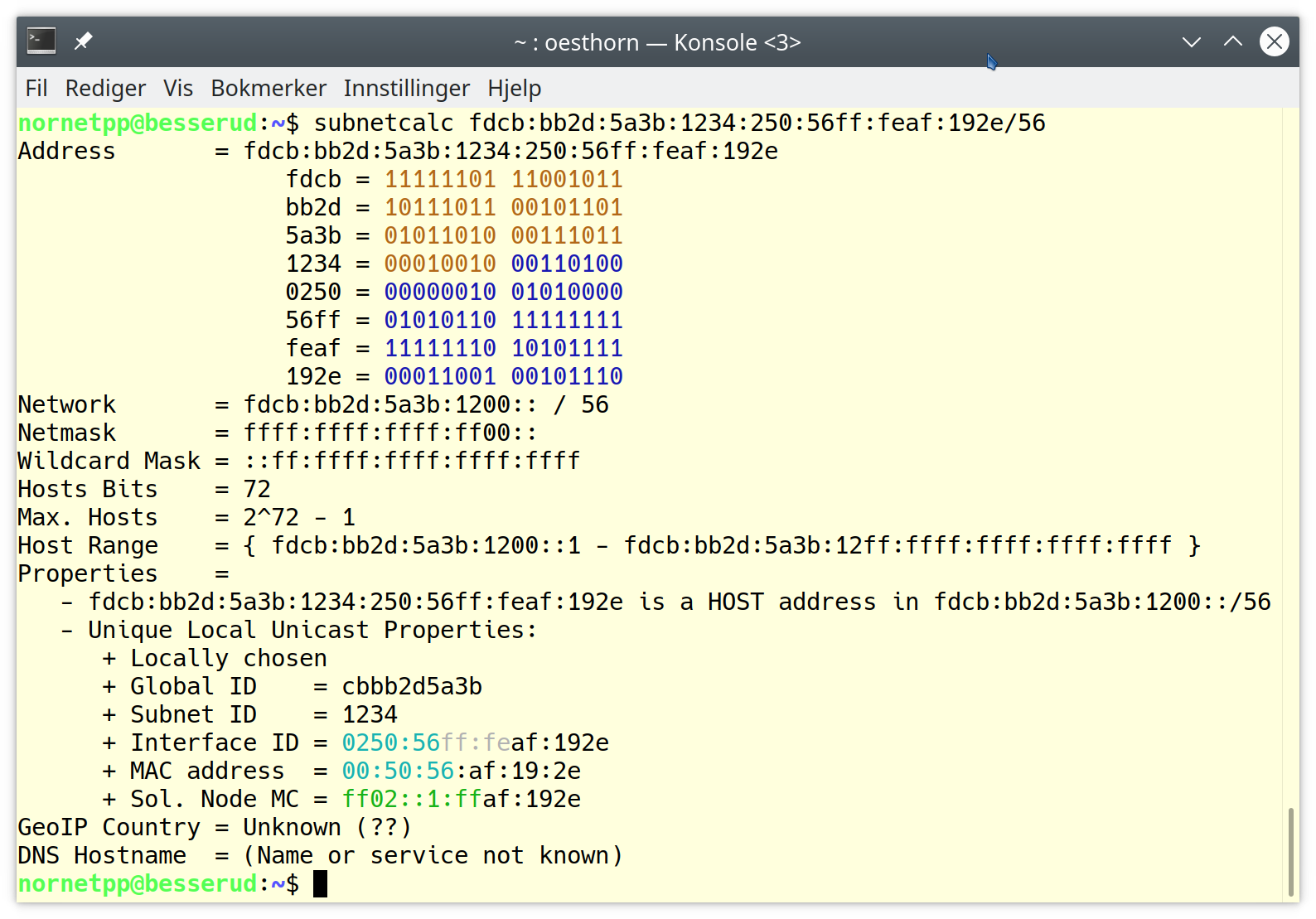
SubNetCalc is an IPv4/IPv6 subnet address calculator. For a given IPv4 or IPv6 address and netmask or prefix length, it calculates network address, broadcast address, maximum number of hosts and host address range. Also, it prints the addresses in binary format for better readability. Furthermore, it prints useful information on specific address types (e.g., type, scope, interface ID).
My host has IP 132.252.150.154 and netmask 255.255.255.240. What are the details of its network?
user@host:~$ subnetcalc 132.252.150.154 255.255.255.240
Address        = 132.252.150.154
                    10000100 . 11111100 . 10010110 . 10011010
Network        = 132.252.150.144 / 28
Netmask        = 255.255.255.240
Broadcast      = 132.252.150.159
Wildcard Mask  = 0.0.0.15
Hex. Address   = 84FC969A
Hosts Bits     = 4
Max. Hosts     = 14   (2^4 - 2)
Host Range     = { 132.252.150.145 - 132.252.150.158 }
Properties     =
   - 132.252.150.154 is a HOST address in 132.252.150.144/28
   - Class B
GeoIP Country  = Germany (DE)
DNS Hostname   = lupo.iem.uni-due.de
Consider that host www.heise.de uses a 64-bit prefix length. What are the details of its network?
user@host:~$ subnetcalc www.heise.de 64
Address        = 2a02:2e0:3fe:1001:7777:772e:2:85
                    2a02 = 00101010 00000010
                    02e0 = 00000010 11100000
                    03fe = 00000011 11111110
                    1001 = 00010000 00000001
                    7777 = 01110111 01110111
                    772e = 01110111 00101110
                    0002 = 00000000 00000010
                    0085 = 00000000 10000101
Network        = 2a02:2e0:3fe:1001:: / 64
Netmask        = ffff:ffff:ffff:ffff::
Wildcard Mask  = ::ffff:ffff:ffff:ffff
Hosts Bits     = 64
Max. Hosts     = 18446744073709551615   (2^64 - 1)
Host Range     = { 2a02:2e0:3fe:1001::1 - 2a02:2e0:3fe:1001:ffff:ffff:ffff:ffff }
Properties     =
   - 2a02:2e0:3fe:1001:7777:772e:2:85 is a HOST address in 2a02:2e0:3fe:1001::/64
   - Global Unicast Properties:
      + Interface ID                     = 7777:772e:0002:0085
      + Solicited Node Multicast Address = ff02::1:ff02:0085
      + 6-to-4 Address                   = 2.224.3.254
GeoIP Country  = Germany (DE)
DNS Hostname   = www.heise.de
My new host should use Interface ID 0x100 and Subnet ID 0x1234. Generate a Unique Local IPv6 prefix (40-bit Global ID) for my intranet, according to RFC 4193, using high-quality random numbers!
user@host:~$ subnetcalc 0:0:0:1234::100 64 -uniquelocalhq
Generating Unique Local IPv6 address (using /dev/random) ...
Address        = fd22:6892:1a2d:1234::100
                    fd22 = 11111101 00100010
                    6892 = 01101000 10010010
                    1a2d = 00011010 00101101
                    1234 = 00010010 00110100
                    0000 = 00000000 00000000
                    0000 = 00000000 00000000
                    0000 = 00000000 00000000
                    0100 = 00000001 00000000
Network        = fd22:6892:1a2d:1234:: / 64
Netmask        = ffff:ffff:ffff:ffff::
Wildcard Mask  = ::ffff:ffff:ffff:ffff
Hosts Bits     = 64
Max. Hosts     = 18446744073709551615   (2^64 - 1)
Host Range     = { fd22:6892:1a2d:1234::1 - fd22:6892:1a2d:1234:ffff:ffff:ffff:ffff }
Properties     =
   - fd22:6892:1a2d:1234::100 is a HOST address in fd22:6892:1a2d:1234::/64
   - Unique Local Unicast Properties:
      + Locally chosen
      + Global ID                        = 2268921a2d
      + Subnet ID                        = 1234
      + Interface ID                     = 0000:0000:0000:0100
      + Solicited Node Multicast Address = ff02::1:ff00:0100
GeoIP Country  = Unknown (??)
DNS Hostname   = (Name or service not known)
What are the DNS reverse lookup name and geolocation country for IP 2401:3800:c001::68?
user@host:~$ subnetcalc 2401:3800:c001::68
Address        = 2401:3800:c001::68
                    2401 = 00100100 00000001
                    3800 = 00111000 00000000
                    c001 = 11000000 00000001
                    0000 = 00000000 00000000
                    0000 = 00000000 00000000
                    0000 = 00000000 00000000
                    0000 = 00000000 00000000
                    0068 = 00000000 01101000
Network        = 2401:3800:c001::68 / 128
Netmask        = ffff:ffff:ffff:ffff:ffff:ffff:ffff:ffff
Wildcard Mask  = ::
Hosts Bits     = 0
Max. Hosts     = 0   (2^0 - 1)
Host Range     = { 2401:3800:c001::69 - 2401:3800:c001::68 }
Properties     =
   - 2401:3800:c001::68 is a NETWORK address
 - Global Unicast Properties:
    + Interface ID                     = 0000:0000:0000:0068
    + Solicited Node Multicast Address = ff02::1:ff00:0068
GeoIP Country = China (CN)
DNS Hostname  = bg-in-x68.1e100.net
What are the MAC address and Solicited Node Multicast address of 2001:638:501:4ef8:223:aeff:fea4:8ca9/64?
user@host:~$ subnetcalc 2001:638:501:4ef8:223:aeff:fea4:8ca9/64
Address        = 2001:638:501:4ef8:223:aeff:fea4:8ca9
                   2001 = 00100000 00000001
                   0638 = 00000110 00111000
                   0501 = 00000101 00000001
                   4ef8 = 01001110 11111000
                   0223 = 00000010 00100011
                   aeff = 10101110 11111111
                   fea4 = 11111110 10100100
                   8ca9 = 10001100 10101001
Network        = 2001:638:501:4ef8:: / 64
Netmask        = ffff:ffff:ffff:ffff::
Wildcard Mask  = ::ffff:ffff:ffff:ffff
Hosts Bits     = 64
Max. Hosts     = 18446744073709551615   (2^64 - 1)
Host Range     = { 2001:638:501:4ef8::1 - 2001:638:501:4ef8:ffff:ffff:ffff:ffff }
Properties     =
   - 2001:638:501:4ef8:223:aeff:fea4:8ca9 is a HOST address in 2001:638:501:4ef8::/64
   - Global Unicast Properties:
      + Interface ID                     = 0223:aeff:fea4:8ca9
      + MAC Address                      = 00:23:ae:a4:8c:a9
      + Solicited Node Multicast Address = ff02::1:ffa4:8ca9
GeoIP Country  = Germany (DE)
DNS Hostname   = (Name or service not known)
Take a look into the manual page of SubNetCalc for further information and options:
man subnetcalcPlease use the issue tracker at https://github.com/dreibh/subnetcalc/issues to report bugs and issues!
For ready-to-install Ubuntu Linux packages of SubNetCalc, see the Launchpad PPA for Thomas Dreibholz!
sudo apt-add-repository -sy ppa:dreibh/ppa
sudo apt-get update
sudo apt-get install subnetcalcFor ready-to-install Debian Linux packages of SubNetCalc, see the Open Build Service PPA for Thomas Dreibholz!
Add the PPA repository:
. /etc/os-release
DISTRIBUTION="Debian_${VERSION_ID:-$([ "${VERSION_CODENAME:-}" = sid ] && echo Unstable || echo Testing)}"
URL="https://download.opensuse.org/repositories/home:/dreibh/${DISTRIBUTION}"
KEY="/etc/apt/keyrings/dreibh-obs.gpg"

curl -fsSL "${URL}/Release.key" | sudo gpg --batch --yes --dearmor -o "${KEY}"
printf "deb [signed-by=%s] %s/ /\ndeb-src [signed-by=%s] %s/ /\n" "${KEY}" "${URL}" "${KEY}" "${URL}" | \
   sudo tee /etc/apt/sources.list.d/obs-dreibh.list
sudo apt update
Then, install SubNetCalc:
sudo apt-get install subnetcalcFor ready-to-install Fedora Linux packages of SubNetCalc, see the COPR PPA for Thomas Dreibholz!
sudo dnf copr enable -y dreibh/ppa
sudo dnf install subnetcalcFor ready-to-install OpenSUSE Linux packages of SubNetCalc, see the Open Build Service PPA for Thomas Dreibholz!
Add the PPA repository:
. /etc/os-release
[[ $VERSION_ID =~ ^[0-9]+\.[0-9]+$ ]] && DISTRIBUTION="${VERSION_ID}" || DISTRIBUTION="${NAME// /_}"
URL="https://download.opensuse.org/repositories/home:/dreibh/${DISTRIBUTION}"
rpm --import "${URL}/repodata/repomd.xml.key"
zypper addrepo -f "${URL}/" dreibh-obs
Then, install SubNetCalc:
sudo zypper install subnetcalcFor ready-to-install Alpine Linux packages of SubNetCalc, see the Open Build Service PPA for Thomas Dreibholz!
Add the PPA repository:
DISTRIBUTION="Alpine_Latest_community"
URL="https://download.opensuse.org/repositories/home:/dreibh"
wget -O \
   /etc/apk/keys/home:dreibh@build.opensuse.org-527a4e72.rsa.pub \
   "${URL}/${DISTRIBUTION}/x86_64/home:dreibh%40build.opensuse.org-527a4e72.rsa.pub"
if ! grep -q "^${URL}/${DISTRIBUTION}" /etc/apk/repositories ; then
   echo "${URL}/${DISTRIBUTION}" | sudo tee -a /etc/apk/repositories
fi
Then, install SubNetCalc:
sudo apk add subnetcalcFor ready-to-install FreeBSD packages of SubNetCalc, it is included in the ports collection; see FreeBSD ports tree index of net/subnetcalc/!
sudo pkg install subnetcalcAlternatively, to compile it from the ports sources:
cd /usr/ports/net/subnetcalc
make
sudo make installSubNetCalc supports NetBSD. However, there is no NetBSD packaging yet. Just build from sources!
SubNetCalc supports OpenBSD. However, there is no OpenBSD packaging yet. Just build from sources!
SubNetCalc supports Solaris (OpenIndiana). However, there is no Solaris packaging yet. Just build from sources!
SubNetCalc supports GNU Hurd (Debian GNU/Hurd). However, there is no Debian GNU/Hurd PPA on Open Build Service available yet. Just build from sources!
For the Homebrew formula of SubNetCalc, see Thomas Dreibholz’s Homebrew Tap!
Add tap:
brew tap dreibh/tap
brew trust dreibh/tap
Then, install SubNetCalc:
brew install subnetcalcSubNetCalc is released under the GNU General Public License (GPL).
Please use the issue tracker at https://github.com/dreibh/subnetcalc/issues to report bugs and issues!
The Git repository of the SubNetCalc sources can be found at https://github.com/dreibh/subnetcalc:
git clone https://github.com/dreibh/subnetcalc
cd subnetcalc
sudo ci/get-dependencies --install
cmake .
make
Optionally, for installation to the standard paths (usually under /usr/local):
sudo make install
Note: The script ci/get-dependencies automatically installs the build dependencies under Debian/Ubuntu Linux, Fedora Linux, OpenSUSE Linux, Alpine Linux, FreeBSD, and Debian GNU/Hurd. For manual handling of the build dependencies, take a look at the packaging configuration files:
debian/control (Debian/Ubuntu Linux, Debian GNU/Hurd),subnetcalc.spec (Fedora Linux, OpenSUSE Linux),APKBUILD (Alpine Linux),Makefile (FreeBSD), andsubnetcalc.rb (Homebrew).Contributions:
Issue tracker: https://github.com/dreibh/subnetcalc/issues. Please submit bug reports, issues, questions, etc. in the issue tracker!
Pull Requests for SubNetCalc: https://github.com/dreibh/subnetcalc/pulls. Your contributions to SubNetCalc are always welcome!
CI build tests of SubNetCalc: https://github.com/dreibh/subnetcalc/actions.
Coverity Scan analysis of SubNetCalc: https://scan.coverity.com/projects/dreibh-subnetcalc.
The tarball has been signed with my GnuPG key 21412672518D8B2D1862EFEF5CD5D12AA0877B49. Its authenticity and integrity can be verified by:
gpg --keyserver hkp://keyserver.ubuntu.com --recv-keys 21412672518D8B2D1862EFEF5CD5D12AA0877B49
gpg --verify subnetcalc-<VERSION>.tar.xz.asc subnetcalc-<VERSION>.tar.xz
The tarballs have been signed with my GnuPG key 21412672518D8B2D1862EFEF5CD5D12AA0877B49. Its authenticity and integrity can be verified by:
gpg --keyserver hkp://keyserver.ubuntu.com --recv-keys 21412672518D8B2D1862EFEF5CD5D12AA0877B49
gpg --verify subnetcalc-<VERSION>.tar.xz.asc subnetcalc-<VERSION>.tar.xz
To provide a translation of SubNetCalc into your language, apply the following steps:
Build SubNetCalc from the Git sources (see Development Version), i.e., use the “master” branch with the latest development version. The build will create a .pot (translation template) file under po.
Create a new Git branch for your translations, e.g., my_username/translations_language_XX (where XX is the language code for your language, e.g., da for Danish):
git branch my_username/translations_language_XX
git checkout my_username/translations_language_XX
Take a look at the existing .po files (translation files) in po/de (German) and po/nb (Bokmål) as examples, e.g., po/de/subnetcalc.po or po/nb/subnetcalc.po. Then, prepare a translation for your language XX under po:
mkdir -p XX
msginit --input subnetcalc.pot \
        --locale XX.UTF-8 \
        --output-file XX/subnetcalc.po
git add XX/subnetcalc.po
Add your translations into XX/subnetcalc.po, with a text editor or PO file editor like Poedit.
Test, commit and push your changes.
Finally, make a pull request: https://github.com/dreibh/subnetcalc/pulls.

