Simula Research Laboratory /
Center for Resilient Networks and Applications /
NorNet
Homepage of Thomas Dreibholz /
Virtual Machine Image Builder and System Installation Scripts
Simula Research Laboratory /
Center for Resilient Networks and Applications /
NorNet
Homepage of Thomas Dreibholz /
Virtual Machine Image Builder and System Installation Scripts
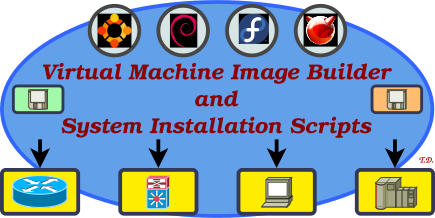
This repository contains Virtual Machine (VM) image building and system installation scripts to automatically generate freshly installed VM or container images for different projects and purposes, like minimal servers, basic console setups, development environments, as well as full desktop machines. The scripts use Packer (https://www.packer.io).
As part of the VM setup process, it is also possible to set custom boot-splashes and desktop/screen locker/login background images for customisation.
The Virtual Machine Image Builder and System Installation Scripts are released under the GNU General Public License (GPL).
The Git repository of the Virtual Machine Image Builder and System Installation Scripts sources can be found at https://github.com/simula/nornet-vmimage-builder-scripts:
git clone https://github.com/simula/nornet-vmimage-builder-scripts vmimage-builder-scripts
cd vmimage-builder-scripts
Note: The repository name “nornet-vmimage-builder-scripts” refers to the NorNet project, since the initial scripts were developed for the purpose of NorNet system installations. However, the scripts have been generic and project-independent for a long time. But in order to keep the repository URL as-is, the repository still contains “nornet” in its name.
Contributions:
Issue tracker: https://github.com/simula/nornet-vmimage-builder-scripts/issues. Please submit bug reports, issues, questions, etc. in the issue tracker!
Pull Requests for the Virtual Machine Image Builder and System Installation Scripts: https://github.com/simula/nornet-vmimage-builder-scripts/pulls. Your contributions to the Virtual Machine Image Builder and System Installation Scripts are always welcome!
The following installations of dependencies are necessary:
For building VMs and containers, Packer is required. It is not required to be installed on the guest system!
Packer (get up-to-date version from https://www.packer.io, the Ubuntu-provided package or snap are currently out-of-date!)
Required Packer plug-ins for the hypervisor, e.g., VirtualBox, QEMU, Proxmox, …
packer plugins install github.com/hashicorp/virtualbox
packer plugins install github.com/hashicorp/proxmox
packer plugins install github.com/hashicorp/qemu
packer plugins install github.com/hashicorp/docker
packer plugins install github.com/hashicorp/vsphere
...
packer plugins installedCMake, ExifTool, Gimp, GraphicsMagick, Open Sans Fonts, for building the boot-splash and desktop/screen locker/login background images:
Ubuntu/Debian:
sudo apt-get install -y --no-install-recommends \
   cmake fonts-open-sans gcc gimp git graphicsmagick libc6-dev libimage-exiftool-perl make
Fedora:
sudo dnf install --setopt=install_weak_deps=False -y \
   awk cmake gcc git GraphicsMagick gimp open-sans-fonts perl perl-Image-ExifTool
FreeBSD:
sudo pkg install -y \
cmake flock getopt gimp3-app git GraphicsMagick opensans-ttf p5-Image-ExifToolTake a look at the script make-direct for installing on the system itself (i.e., not building VMs but configuring the machine directly):
./make-direct <PROJECT>If the system does not have the dependencies installed, run system-setup:
./system-setup <PROJECT>
This helper script first installs the dependencies if necessary, and then calls make-direct.
To start a VM or container build (using Packer), run one of the make-* scripts:
./make-<PROJECT>with <PROJECT> e.g. “minimal”, “basic”, “development”, “kde”, “kde+development”, “hipercontracer”, etc.!
See further details about the different VM hypervisor variants, systems, and projects (choice of packages to install) below!
The VirtualBox images use optimised settings for display, network and storage. Two disk layouts are available: 3-disk (separate disks for /, /home, and swap; recommended) and 1-disk (one disk for everything).
VMs for usage in Proxmox. They are basically like the VirtualBox variant, with the QEMU Guest Agent installed. Two disk layouts are available: 3-disk (separate disks for /, /home, and swap; recommended) and 1-disk (one disk for everything).
The QEMU images use optimised settings for display, network and storage. Two disk layouts are available: 3-disk (separate disks for /, /home, and swap) and 1-disk (one disk for everything). The QEMU images are particularly useful for OpenStack, for which the disk layout should be 1-disk.
VMs for usage in vSphere. They are basically like the VirtualBox variant, with the Open VM Tools installed.
Note: The vSphere support of the scripts is not tested any more!
Containers for usage in Docker.
The following operating systems are currently supported as VM guests:
Details can be found in the directories installer and http.
General settings:
/ and /home, with subvolumes @ and @home/etc/apt/preferences.d/block-snapd.pref!General settings:
/ and /home, with subvolumes @ and @homeGeneral settings:
/ and /homeGeneral settings:
/ and /homeGeneral settings:
/ and /homeGeneral settings:
/ and /homeGeneral settings:
General settings:
Details can be found in the directory projects.
The minimal installation for the system with the settings described above. This project is meant mainly for testing purposes. In most cases, you want the Basic project instead!
Provided packages:
Further properties:
/etc/os-release with operating system information existsThe “Basic” installation is based on the Minimal installation.
It must contain the following packages:
The “KDE” installation is based on the Basic installation.
It must contain the following packages:
Further properties:
The “Development” installation is based on the Basic installation.
It must contain the following packages:
It must contain the following libraries and development files:
Further properties:
The “KDE+Development” installation is based on the KDE and Development installation.
Basic for general-purpose server usage, particularly for working with NorNet purposes.
Basic NorNet VMs for general-purpose desktop usage. They are based on the NorNet images, with additional KDE desktop.
Basic for general-purpose desktop usage, particularly for working with NEAT. They are based on the NorNet-Desktop images, with NEAT packages and build environment.
Features:
$HOME/src. Build dependencies are already installed.Basic for general-purpose desktop usage, particularly for working with RSerPool, based on the KDE+Development installation.
Features:
$HOME/src. Build dependencies are already installed.These are SimulaMet desktop VMs, based on the KDE+Development installation.
Features:
$HOME/src.Basic for general-purpose desktop usage, particularly for working with 5G-VINNI. They are based on the NorNet images.

